DeepInfra raises $107M Series B to scale the inference cloud — read the announcement

DeepSeek Harness launched on August 13 and reads like a Claude Code competitor. The framing survives about ten minutes of looking through the source. The repository ships delegation backends named subagent-claude-code and subagent-codex, plus hook bridges that read the hooks.json you already wrote for Claude Code. DeepSeek built a runtime that can hand work to the rival agents and collect the results, and the whole thing is model-agnostic, which means the interesting question is which open-weight model you put underneath it.
We installed it, pointed it at DeepInfra, and went past the happy path.
What DeepSeek Shipped
DeepSeek Harness, dsh on your PATH, is an open-source agent runtime released under MIT and currently in developer preview. It is built on Cordis, a plugin framework, and the README’s claim is that everything is a plugin: the model adapter, the tool registry, the session log, and the agent loop itself.
But what exactly does “everything” mean? The architecture defines named swap points, and each one has multiple shipped implementations you select in configuration rather than in code. ctx.sessionPersistence has JSONL and SQLite backends. ctx.subprocess has a local executor and an E2B sandbox executor. ctx.shell has bash, a sandboxed bash, and PowerShell. ctx.subagents has six providers, which is the part we will come back to.
The practical consequence is that dsh is less a product than a chassis. You are not choosing between DeepSeek’s tool implementations and someone else’s. You are choosing which implementations to compose, and a “plugin” here can replace the agent loop, which is the piece most agent frameworks treat as the load-bearing wall.
One thing to know before you build on it. The developer-preview warning is not boilerplate: the README warns of compatibility-breaking changes, and the version tested here is 0.1.1-rc.2.
Installing DeepSeek Harness: npx Versus Source
The advertised path is one command:
npx @deepseek-ai/dsh webIt starts the web UI on http://127.0.0.1:3080 and opens a browser. Pass –no-open to skip the browser, which you want when you are running it over SSH.
This command sits for a long stretch with no output while npm resolves and downloads the tree. It looks hung. It is not, on the first run, but there is no progress indication to tell you that, and killing it partway leaves you re-downloading from scratch. If you would rather watch something happen, take the source path instead:
git clone https://github.com/deepseek-ai/deepseek-harness.git
cd deepseek-harness
pnpm install
pnpm run build
pnpm dsh webpnpm run build prepares the repository artifacts, and pnpm dsh web runs against those artifacts without rebuilding. It takes longer overall and it tells you what it is doing the entire time, which for a preview-stage project is the trade we would make again. The source checkout also gives you the docs/ tree, and the documentation in the repository is considerably better than the documentation on the marketing site.
Pointing DeepSeek Harness at DeepInfra
Out of the box the harness wants a DeepSeek API key. Open Settings → Models and the DeepSeek card takes one, stored write-only in $DSH_HOME/.credentials.yaml with only a credential reference kept in settings.

The two buttons under that card are the whole story. Add provider picks from the installed catalog (Anthropic, OpenAI, Bedrock, Azure, and the rest), where the endpoint and model list come preconfigured. Any other endpoint goes through Add a custom provider, which wants a lowercase provider ID, a base URL, an API protocol, a credential, and at least one model. For DeepInfra that is:
| Field | Value |
|---|---|
| Provider ID | deepinfra |
| Base URL | https://api.deepinfra.com/v1/openai |
| API protocol | openai-completions |
| API key | your DeepInfra token |

One warning the form gives you and that is easy to click past: the provider ID is permanent, because sessions, model defaults, and credential references all point at it. Renaming means creating a new provider and deleting the old one, which orphans the model defaults in every saved session. Pick the name you want the first time.
Once the key and base URL are in, Fetch available models queries the endpoint and lists what it finds, and you select the ones you want in the picker. The form notes something easy to miss here: the models you select only control what appears in the selector, and an unlisted model ID can still be sent directly. You do not have to enumerate a whole catalog to use one model from it. This is the same base-URL swap that points any OpenAI-compatible agent at DeepInfra, which is the upside of a protocol everything already speaks.
The Part That Decides Whether It Works
Here is where setup ends and the actual work starts. The harness documentation is blunt about it: a gateway can hold a working key at a reachable address and still refuse every request. The adapter infers request shape from the endpoint URL, so an address it does not recognize gets addressed as though it were OpenAI itself, and most OpenAI-compatible gateways refuse at least one thing OpenAI accepts.
Two settings account for most failures. A model declaring reasoning gets its system prompt under role: “developer” and its output cap as max_completion_tokens, and plenty of gateways reject both. There is no form field for either, so correct them on the route in $DSH_HOME/settings.yaml:
llm-pi-ai:
providers:
deepinfra:
apiKeyEnv: DEEPINFRA_API_TOKEN
api: openai-completions
baseURL: https://api.deepinfra.com/v1/openai
compat:
supportsDeveloperRole: false
maxTokensField: max_tokens
models:
- id: deepseek-ai/DeepSeek-V4-Pro-0813
- id: deepseek-ai/DeepSeek-V4-Flash-0731
compat:
thinkingFormat: deepseekA route’s compat block is the default for its models, and a model’s own block wins field by field, so one reasoning model can be corrected without restating the route. This matters more than it sounds. Atlas Cloud traced a run that took 2.8 times longer than its sibling (422 seconds against 153) to reasoning-dialect misdetection, which is the same type of problem: the endpoint works, the request shape is wrong, and only your bill will tell you.
apiKeyEnv is a reference, not a value, so no secret ends up in this file. It resolves from the environment of the process that launches dsh. Export the variable in one shell and launch the harness from another and the route fails with MISSING_CREDENTIAL while the key itself is perfectly good.
Two more switches worth knowing. A model you type in by hand is treated as text-only, because nothing can ask an endpoint which modalities it accepts, so a vision model needs input: [text, image] added to it in the same YAML. And defaultInput sets the fallback for a whole route rather than per model.
Check It Before You Debug It
Two checks, in this order, remove an entire category of confusion. First, hit the endpoint outside the harness:
import os
from openai import OpenAI
client = OpenAI(
api_key=os.environ["DEEPINFRA_API_TOKEN"],
base_url="https://api.deepinfra.com/v1/openai",
)
resp = client.chat.completions.create(
model="deepseek-ai/DeepSeek-V4-Pro-0813",
messages=[{"role": "user", "content": "Reply with the word ready."}],
)
print(resp.choices[0].message.content)If that prints and the harness still fails, the problem is request shape, and the compat block above is where you fix it.
Second, run the harness itself. The headless profile answers one task and exits, which is the fastest end-to-end check:
dsh --profile headless "Reply with exactly the word ready and nothing else."Set agent-default-model to the route first, otherwise it boots against the DeepSeek official provider and tells you nothing about your config:
agent-default-model:
provider: deepinfra
model: deepseek-ai/DeepSeek-V4-Flash-0731Read the failure mode carefully when it comes. A 401 is the credential, a 400 naming developer or max_completion_tokens is request shape and sends you back to compat, and a 429 saying engine_overloaded is neither. The 429 is capacity on the provider side, and V4-Pro returned it while Flash on the same key and the same route answered on the first try.
Which Model to Put Underneath It
The harness is model-agnostic, so this is a cost decision more than a compatibility one, and the same reasoning applies here as when picking a model for any agentic workload: match the model to the step rather than to the tool. The DeepSeek family on DeepInfra:
| Model | Context | Input / 1M | Output / 1M | Quantization |
|---|---|---|---|---|
| DeepSeek-V4-Pro-0813 | 1M | $1.30 | $2.60 | fp8 |
| DeepSeek-V4-Flash-0731 | 1M | $0.08 | $0.18 | fp8 |
| DeepSeek-V3.2 | 163K | $0.26 | $0.38 | fp4 |
Output is where the spread lives, and an agent loop is output-heavy. Main loop on Pro, mechanical sub-tasks on Flash, is a 14x difference on the output side, the per-step swap that routing agent work across models buys you. Same endpoint, same key, one line of YAML.
Is It Cheaper Than Going To Deepseek Directly?
Sometimes, and it depends on which model and what time of day.
DeepSeek moved to peak and off-peak billing on August 16, 2026. Their published rates put peak hours at 01:00 to 04:00 and 06:00 to 10:00 UTC, with everything else billed at half price. DeepInfra bills one flat rate around the clock.
| Per 1M tokens | DeepInfra (flat) | DeepSeek peak | DeepSeek off-peak |
|---|---|---|---|
| V4-Pro input | $1.30 | $1.32 | $0.66 |
| V4-Pro cached input | $0.10 | $0.044 | $0.022 |
| V4-Pro output | $2.60 | $3.96 | $1.98 |
| V4-Flash input | $0.08 | $0.44 | $0.22 |
| V4-Flash cached input | $0.016 | $0.014 | $0.007 |
| V4-Flash output | $0.18 | $1.32 | $0.66 |

On Flash it is not close. DeepInfra’s output price is a third of DeepSeek’s off-peak rate and a seventh of peak, so an agent loop running its mechanical steps there is cheaper here at every hour of the day. On Pro the honest answer changes: DeepSeek’s off-peak output at $1.98 undercuts $2.60, and peak is only 7 hours out of 24.
Three things push back on Pro. Flat billing is predictable, and an agent on a schedule does not get to choose which side of 01:00 UTC it lands on. DeepInfra’s flex tier bills at 0.8x, putting the same Pro run at $2.08 per million output tokens. And the same key and base URL reach Qwen, Kimi, GLM, and Llama, which matters for a harness whose premise is swapping the model per step.
The argument that usually settles it is not about price at all. A coding agent pointed at a private repository sends your source code to whatever endpoint you configured. DeepInfra runs on bare-metal infrastructure in US data centers with a zero-retention policy, and for a lot of teams that decides the question before the per-token math starts.
Walking the Web UI

You can get to know it within a minute if you have used any agent product. The Trajectory view exposes the append-only session log by source, so you inspect the raw context instead of the cleaned-up chat rendering of it.
Above the prompt box is a mode selector. Standard is the full coding agent. Minimal cuts to two tools, persistent bash and str_replace_editor. Creator adds runtime inspection for authoring your own presets. PTC exposes the same tools through a Code Mode SDK, so the model writes one TypeScript program combining multi-step operations instead of making a round trip per tool call.
Next to it is the sandbox selector, offering Read Only, Workspace Write, and Full access. Workspace Write is the sensible default, and it does less than the name suggests. It confines what the agent can write to the folder you opened. Reading is not confined at all, so an agent in that mode can open any file your account can. In the build later in this article, its very first move was reading a note out of my Obsidian vault, well outside the project folder, without asking.
The Browser Problem
If your reaction to “it ships a local web server and you code in a browser tab” is that this is a step backwards, you are not alone. A TUI package existed in the repository and was pulled the week before launch.
The answer is profiles, and it is buried in apps/cli/README.md. A profile is an ordered stack of plugin-bundle patch layers under your own overrides, living in $DSH_HOME/profiles/`:
| Command | What it does |
|---|---|
| dsh web | Alias of –profile web, the browser UI |
| dsh –profile headless “job” | One fresh persisted session, prints the final answer, exits |
| dsh –profile tui | Terminal UI, out-of-tree bundle installed through dsh plugin |
The headless profile listens on no ports and is a run-and-exit shape built for CI and scripting:
dsh --profile headless "run the test suite and fix any failing assertions"Because a profile is a stack of patch layers rather than a config file, the composed result is worth inspecting before you boot it. Both flags print the tree and exit:
dsh --profile web --dump-configweb and headless auto-initialize from shipped templates on first use. Anything else is created through dsh plugin, which forwards to pnpm inside the profile directory, and community TUI plugins have filled the gap the pulled package left. That is the plugin architecture working like it should: a mode the vendor removed got replaced by the ecosystem in under a week, without a fork.
Claude Code and Codex Run Inside It
dsh meets the other coding agents in two places. The first is ctx.subagents and its six providers. Two of them are subagent-claude-code and subagent-codex, and they delegate real work to Anthropic’s Claude Code and OpenAI’s Codex. A third, subagent-acp, speaks the Agent Client Protocol, so anything implementing ACP is addressable the same way.
These providers do not go looking for a claude or codex binary on your PATH. Each package pins its own dependency (the official Claude Agent SDK in one case, @openai/codex in the other) and launches the platform payload that ships with it. The subagent-claude-code README is explicit that the provider “does not inspect PATH, implement platform selection, or fall back to a host claude.” Installing the plugin brings the CLI with it. You only supply the login.
Authentication stays native: Claude Code reads your normal user, project, and local settings relative to the parent session’s working directory, and the harness neither copies those files nor creates login state. So the delegated agent runs as you, with your account, under your existing configuration, and dsh overrides one thing.

That one override is permissionMode. Both providers are optional profile bundles that register a dormant provider and start no process until you install them into a profile and restart it:
dsh plugin --profile web add @deepseek-ai/dsh-subagent-claude-codeThen set the policy in your own patch layer at $DSH_HOME/profiles/<name>/cordis.patch.yml:
- id: subagent-claude-code
config:
permissionMode: planThe modes run from dontAsk, which denies anything not already authorized, through acceptEdits and auto, to bypassPermissions, which sets the SDK’s dangerous confirmation flag and skips permission checks entirely. plan is the interesting one for delegation: it runs Claude Code in native planning mode, denies execution approval, puts ExitPlanMode in the SDK’s disallowed tools so native settings cannot pre-approve a jump back to execution, and returns the finished plan as the answer. You get the expensive model’s judgment without giving it your filesystem.
One more property to design around: the provider reports inheritsParentContext: false. The delegated agent receives a standalone text task and the parent session’s working directory, and nothing else. Every delegation is a cold start, so the task text has to carry everything the sub-agent needs, and the cost of a delegation is the cost of re-establishing context in the more expensive model.
The second place is the hook bridges. hooks-claude-code and hooks-codex run your existing hooks.json, and the harness reads AGENTS.md and CLAUDE.md for context. It also speaks MCP as a client. Add it up and the migration cost from an existing Claude Code setup is close to zero.
So you should treat dsh, Claude Code, and Codex as three products competing for one slot on your machine and the arithmetic is a purchasing decision. The repository treats two of them as callable subroutines instead. You can run the outer loop on an open-weight model through DeepInfra at $2.60 per million output tokens, delegate the two tasks where a frontier model genuinely earns its price to Claude Code, and keep the session log for all of it in one trajectory. The economics of that arrangement are different from either tool alone.
Building Something Real
I have a note that starts with “make my note taking process for technical articles easier” and wanders through four false starts before landing somewhere useful. I handed the harness that note, unedited, with four constraints: Handy is already the speech-to-text layer, notes go in my Obsidian vault, no LLM anywhere in the tool, nothing paid. Then one instruction that mattered more than the rest.
Before you write code, tell me how you plan to get text out of Handy and into a markdown file, and what you had to read to find that out.
Standard mode, Workspace Write, V4-Flash on the DeepInfra route. It ran for six minutes and twenty-three seconds across 39 steps and 44 tool calls, and it cost three cents.
Its first move was a read on the vault note by absolute path, well outside the workspace, with no approval prompt. SandboxMode governs write effects, so workspace-write fences what the agent can change and leaves what it can see wide open.
Then it searched, with external_script_path already in the query, and came back with something I had missed. Handy exposes an external-script paste method, and the settings UI hides it:
// src/components/settings/PasteMethod.tsx
// External script is only available on Linux
if (osType === "linux") {
options.push({ value: "external_script", label: "External script" })
}The Rust dispatch behind it has no platform gate, so it works on macOS once the keys are written to settings_store.json directly. It generated a configure.sh that does exactly that. Real research, from a model that costs eighteen cents per million output tokens.
It stopped twice to ask, with multiple-choice options, how destinations should be decided and how append should be distinguished from new-file. Both were the right questions.
Then it shipped 330 lines of bash across six files. Not Python, which is something I have seen before: send DeepSeek a coding task without naming a language and it reaches for shell. The dispatch it landed on:
case "$MODE_VALUE" in
append)
printf '%s\n' "$TEXT" >> "$APPEND_FILE" || { _log "ERROR append failed"; exit 1; }
;;
new)
NEW_FILE="$NOTES_DIR/$(date '+%Y-%m')/$(date '+%Y-%m-%d-%H%M').md"
mkdir -p "$(dirname "$NEW_FILE")" || { _log "ERROR mkdir failed"; exit 1; }
printf '# Voice note %s\n\n%s\n' "$(date '+%B %e, %Y %H:%M')" "$TEXT" > "$NEW_FILE"
;;
esacClean enough. The whitespace was trimmed, empty transcripts were dropped, and errors were logged rather than thrown.
Installing it did nothing at all the first time. configure.sh warns in a comment that Handy must be quit first, then does not enforce it, so the running app flushed its store over the top eight seconds later and the change vanished silently.
Installing it correctly was worse. paste_method is a single global setting, so pointing it at a script sends every transcription there. My next ordinary dictation landed in the capture file and reached no application at all. The build contains no pbcopy, no osascript, no path back to the focused app, and its README never mentions the tradeoff. The tool captures notes by breaking dictation.
So it found a platform gate buried in frontend source that I had read past, and it missed the consequence of the setting it was turning on.
So I told it what broke and what I wanted, including a second hotkey that left ordinary dictation alone. It went back to the Rust and worked out two things: the second binding is skipped at registration unless post-processing is enabled, and save_entry records which binding fired as post_process_requested before the paste happens. So it enables post-processing with no prompt selected, registering the hotkey while calling no API, then reads the newest history row to decide whether to append or paste through. I did not give it that answer.
Seven minutes, seven cents. The second round cost more than twice the first despite the context being cached, because cache reads more than doubled as the session grew. Agent spend tracks accumulated context rather than task size.
It works. Both hotkeys, both modes, verified against the log.
DeepSeek Harness Versus opencode and Claude Code
The three tools are not aimed at the same person.
| DeepSeek Harness | opencode | Claude Code | |
|---|---|---|---|
| License | MIT | MIT | Proprietary |
| Interface | Browser UI, headless, community TUI | Terminal-native | Terminal-native |
| Models | Any, via plugin adapters | Any | Anthropic only |
| Maturity | Developer preview, rc stage | Established | Established |
| Extension model | Every layer is swappable | Plugins and LSP | Hooks, MCP, subagents |
| Runs other agents | Claude Code, Codex, ACP | No | No |
Opencode is the one we have covered before, and it remains the better daily driver: terminal-native, model-agnostic, and mature enough that its rough edges are known ones. Claude Code is still the better coding agent in absolute terms and the most expensive way to get one, tied to a single vendor’s models.
I thought the local service and the browser tab were a step backwards from a terminal, but they earned the cost back. Every setting is a place you can click. Paste methods, sandbox modes, agent presets, the provider form, all of it sits in front of you instead of behind a documentation search. Claude Code has settings I still find by accident, usually while debugging something else. Being able to browse the settings this easily is something that makes a preview-stage tool approachable.
What dsh has that neither has is the swap points. Everything listed at the top of this article, up to and including replacing the agent loop, is a configuration change here and a fork anywhere else. Whether that is worth a preview-stage dependency depends entirely on whether you are building on top of an agent or just using one.
Who Should Run DeepSeek Harness
The version tested is an rc, the README warns of breaking changes, and two of the bugs in the build above are the kind that ship in preview software. But a rambling idea note and two prompts produced a tool that works. Nobody asked it for a UI and it did not build one. Judged on what it was handed, that is a good result.
Run it if you are building agent infrastructure rather than consuming it, you want an audit trail you can read, or you want one runtime that can call your existing agents while billing the bulk of the tokens to an open-weight model.
Skip it for now if you need a stable dependency, you want a terminal-first workflow with no assembly required, or you are shipping something on a deadline. If what you want is an agent that runs without your laptop being awake, a hosted agent is a shorter path than standing up a headless profile on a box you maintain.
DeepSeek Harness Review: Frequently Asked Questions
Is Deepseek Harness Production Ready?
No. Pin the version, because plugin configuration can change between release candidates. Remember that the sandbox covers the filesystem and not the network or process table. And because a run can exit clean while its output is broken, your review step cannot be “did it report success”, which is the habit most agent workflows are built on.
Does Deepseek Harness Work With Non-Deepseek Endpoints?
Yes. Add a custom provider with a base URL and the openai-completions protocol, and any OpenAI-compatible gateway works. Expect to set compat switches in $DSH_HOME/settings.yaml for reasoning models, since the adapter guesses request shape from the URL.
Can DeepSeek Harness use Claude Code or Codex?
Yes. It ships subagent-claude-code and subagent-codex providers that delegate a task to each product, plus hook bridges that run your existing hooks.json. Each plugin pins and ships its own CLI rather than using one on your PATH, both are dormant until you install them into a profile, and authentication stays native to each product.
Do I Have To Use The Browser Ui?
No. dsh –profile headless “job” runs one session and exits, which is the CI-friendly shape, and a community TUI profile installs through dsh plugin. The browser is the default rather than the only option.
Is Dsh Related To The Linux Dsh Command?
No. The Linux dsh is a distributed shell for running commands across multiple hosts. DeepSeek’s dsh is unrelated and will collide with it on your PATH if you have both installed.
What Does A Run Actually Cost?
More than the headline rate suggests, because an agent replays its context every turn. The lever that matters most is which model handles which step: running the outer loop on V4-Pro and delegating mechanical sub-tasks to V4-Flash changes the output bill by more than an order of magnitude, and on this harness that is a per-model line in settings.yaml rather than a rewrite.
Getting Started
Every model named here runs on DeepInfra’s OpenAI-compatible API, so pointing dsh at it is a base URL and a key. Browse the model catalog for pricing and context windows, or read the API documentation for the endpoint details.
Building something with an agent runtime and an open-weight model underneath it? Tell us what broke. Reach us at feedback@deepinfra.com, join the DeepInfra Discord, or find us on X at @DeepInfra.
 NVIDIA Nemotron 3 Super 120B API Benchmarks<p>NVIDIA Nemotron 3 Super 120B A12B is available across multiple API providers, and the spread in performance and cost is wide enough to change deployment decisions. Artificial Analysis benchmarks three providers — Lightning AI, CoreWeave, and Nebius — with output speed ranging from 154 to 509 t/s (a 3.3x gap), TTFT spanning 0.98s to 1.94s, […]</p>
 GLM-5.3-Flash Pricing, Providers & Cost<p>GLM-5.3-Flash is a model from Z.ai in the GLM-5 family, released on August 26, 2026. It’s a natively multimodal model accepting text and image input (some listings, including OpenRouter, also note video), with text output. Both Artificial Analysis and DeepInfra describe it as a 320B-parameter mixture-of-experts model with 18B active parameters per inference; DeepInfra’s listing […]</p>
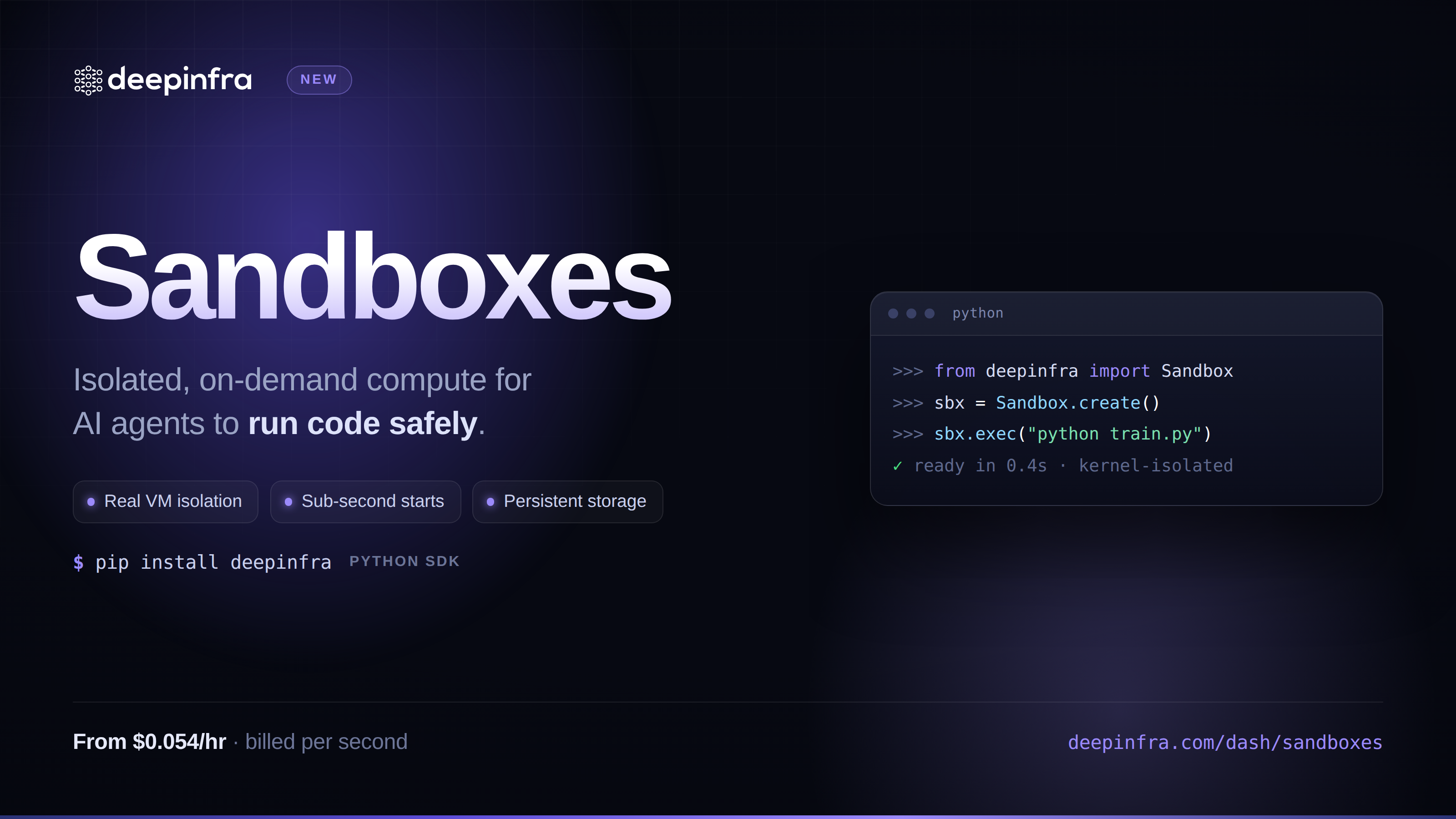 Sandboxes: give your agents a safe place to run codeIsolated Linux microVMs you can spin up with one API call: run bash or Python, move files in and out, pause and resume, tear down when you're done. Built for agents and pipelines that need to execute untrusted code without you having to run the infrastructure yourself.



© 2026 DeepInfra. All rights reserved.